Add Project Level Observation Types
Objective
To create custom observation types at the project level.
Things to Consider
- Required User Permissions: 'Admin' level permissions on the project's Observations tool.
Steps
- Navigate to the project's Observations tool.
- Click the Configure Settings
 .
. - Click Observation Types.

- Navigate to the category to which you want to add an observation type.
- Enter the name of your new type into the text box.
Note: Company level observation types are indicated by a key icon .
.
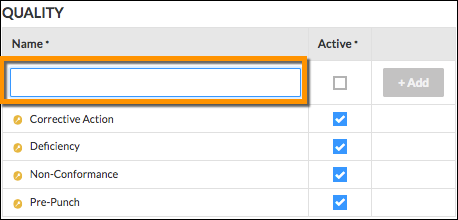
- Click +Add to save your new observation type.