Distribute a Snapshot of a Project Single Tool Report
Objective
To distribute a snapshot of a project report.
Things to Consider
- Required User Permissions:
- To distribute any snapshot: user must be a company admin
- To distribute a snapshot of a report you created, 'Standard' level permissions or higher on the Project 360 Reporting tool.
- Additional Information:
- You can only see and distribute reports that you have created.
Steps
Distribute a Custom Project Report
- Navigate to the Project 360 Reporting tool.
- Click the name of the custom report you want to distribute.
- Click Distribute Snapshot in the right pane.

- In the Recipients field, search for and select the users that you would like to email the custom report to.
- In the Send As drop-down menu, select PDF or Excel.

- Click Distribute.
Schedule a Distribution
- Navigate to the Project 360 Reporting tool.
- Click the name of the custom report you want to schedule a distribution for.
- Click Distribute Snapshot.
- Click the carat next to Schedule Distribution List.
- From the drop-down menu, select the users to whom you would like to email the custom report.
- In the Send As drop-down menu, select PDF or Excel.
- Select one of the following options from the Frequency drop-down menu:
- Daily
- Daily (Weekdays Only)
- Weekly
- Monthly
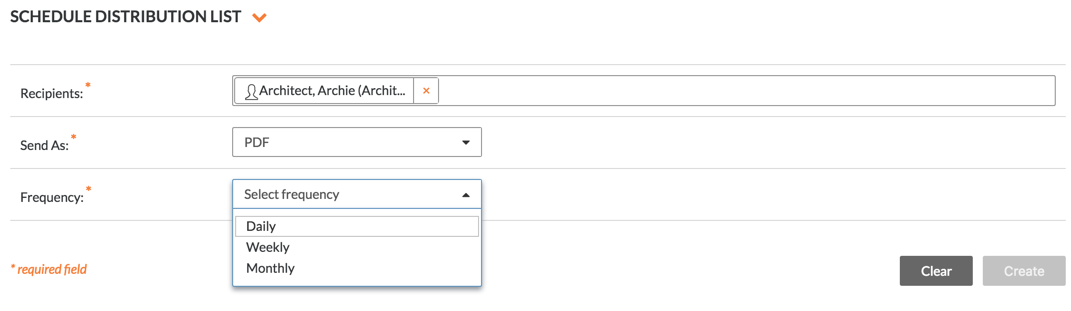
- Select the options in the Settings section to schedule when the report will be distributed based on your Frequency selection.
- Click Create.